Run a PIPEDA assessment
Answer questions about how you handle personal information and get a score and an action plan under PIPEDA, Canada's federal privacy law.
Read the video as text
The PIPEDA assessment, in Valdra.
The clinic in this video is made up, and so is every detail.
PIPEDA is the federal privacy law for private sector organizations.
Its assessment walks through the ten fair information principles, one question at a time.
Start it from New assessment. It takes about twenty five minutes.
Your results show a score, the gaps to close first, and a report you can share with the Commissioner’s office if asked.
What this is for
You run a business in Canada and want to know where you stand under PIPEDA, the federal privacy law. You answer plain questions. Valdra gives you a score out of 100 and a list of what to fix first.
PIPEDA is the Personal Information Protection and Electronic Documents Act. It is Canada's federal private sector privacy law on how organizations collect, use and disclose personal information. The assessment covers all ten fair information principles.
This is general guidance, not legal advice.
Before you start
- Plan: every plan. The Free plan includes one complete PIPEDA assessment for the life of the workspace. Deleting it does not give it back. Starter and up have no limit.
- Role: Admin or Member. An Auditor can read the results but cannot start an assessment.
- Have ready: about 25 minutes, and someone who knows how your team handles personal information. You can stop and come back later.
Steps
Open PIPEDA assessment
In the menu, open Assess, then click PIPEDA assessment under Federal and provincial.
You will see New assessment: PIPEDA. The card says The federal privacy law, principle by principle and About 25 min.
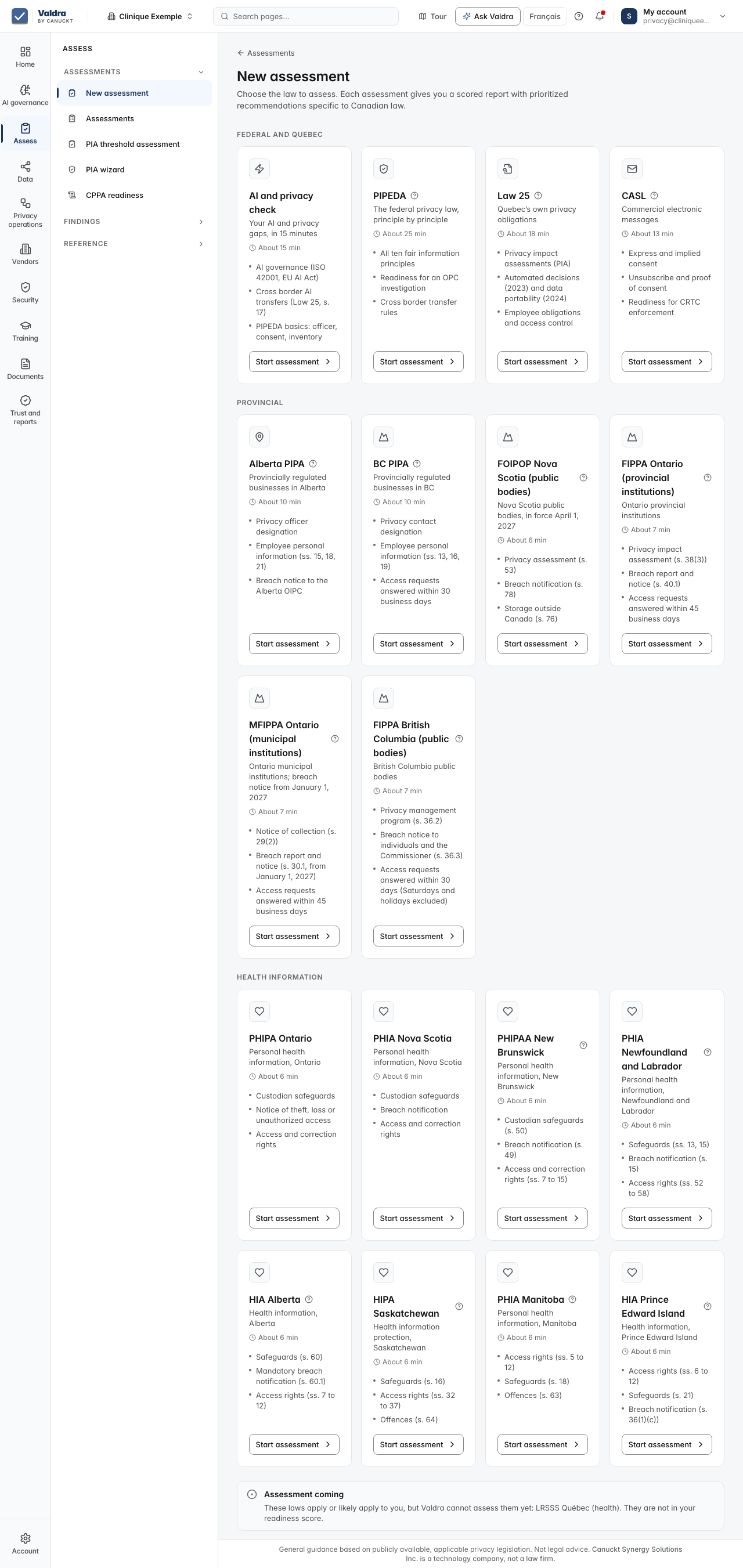
You can also open Assess, New assessment to see every law, then find the PIPEDA card.
Click Start assessment
You will see Setting up your assessment, then the first question.
Answer each question
Pick the answer that fits best: Yes, fully, Yes, partially, Planning or No. Then click Continue.
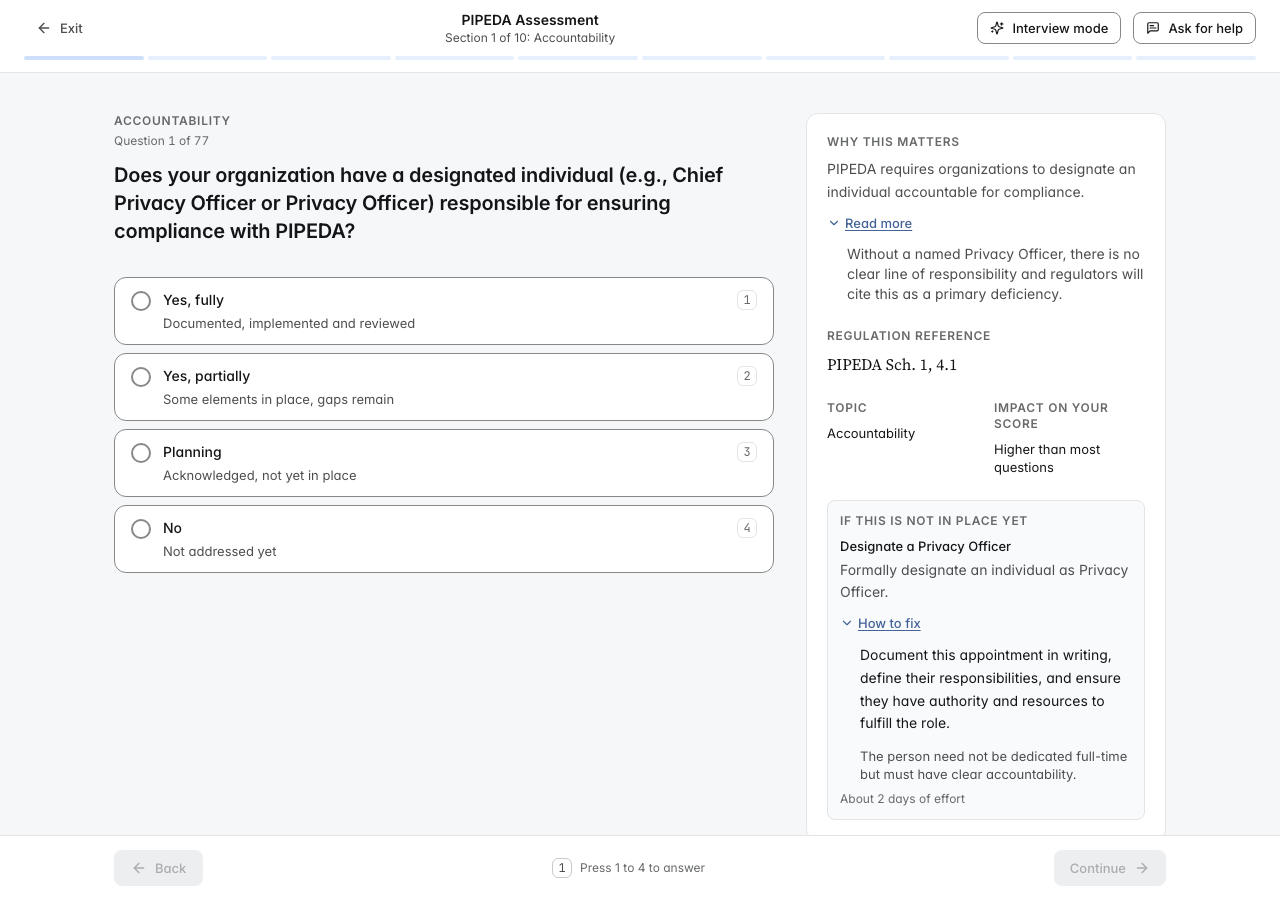
Your answers save as you go. At the top you will see the section you are in and how many questions you have answered.
Not sure what a question means? Open Why this matters under the question.
Click Review answers at the end
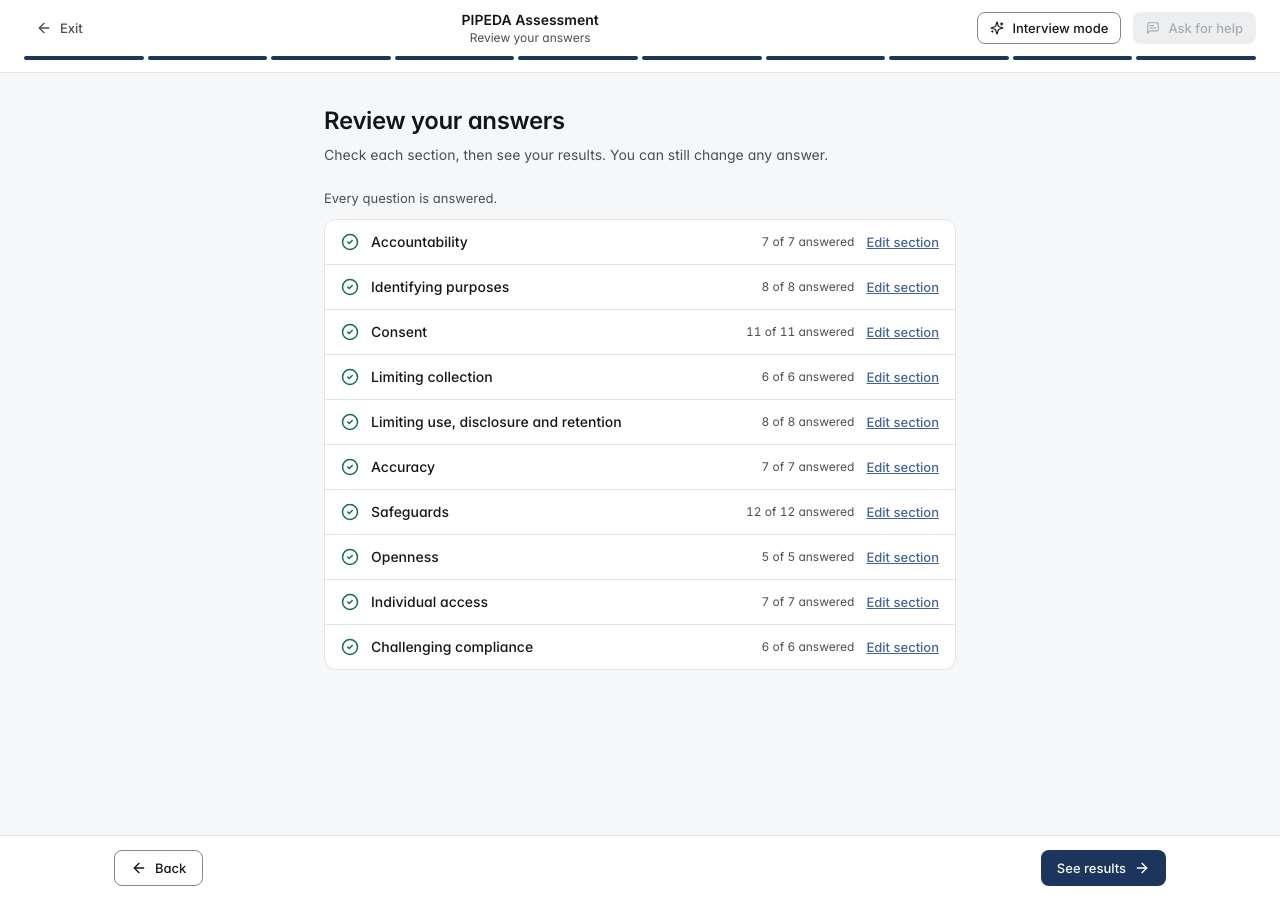
You will see Review your answers, with each section and how many questions are answered. Click Edit section to change an answer.
Click See results
You will see Calculating your results, then your report.
What you will see
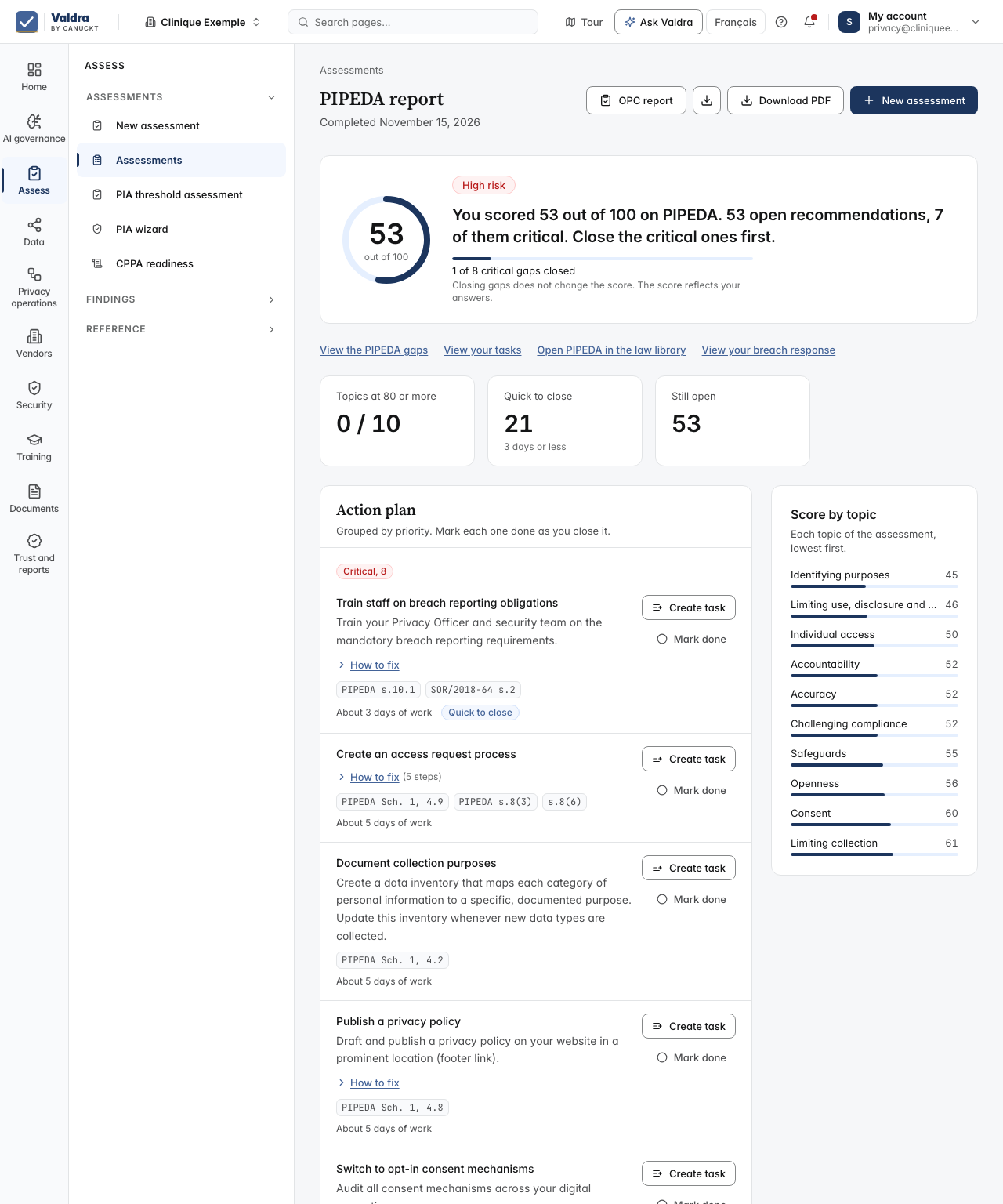
The PIPEDA report opens. It shows:
- your score out of 100 and a risk level, from Low risk to Critical risk;
- Results at a glance: topics at 80 or more, items Quick to close (3 days or less) and items Still open;
- Score by topic, lowest first;
- Action plan, grouped by priority. Click Mark done as you close each item.
Click Download PDF to keep a copy. Click View your tasks to work through the fixes. The report stays under Assessments.
Common mistakes and fixes
You see Your Free plan includes one complete PIPEDA assessment, and it has been used. Upgrade to Starter to run more assessments. The Free plan includes one, and it stays used even if you delete it. Open your report under Assessments, or see the plans.
You left after two answers and your draft is gone. A draft with fewer than three answers is removed when you leave. Start again and answer at least three questions before you click Exit.
You want to stop for now. Click Exit, then Leave. Your answers are saved. Finish later from Assessments.
Interview mode is locked. Answering by conversation is part of the Starter plan. You can still answer one question at a time.
If it did not work
We could not create the assessment. Please try again. The assessment did not start. Wait a moment and click Start assessment again.
Your last answer was not saved. We will retry automatically. The connection dropped. Click Retry now, or wait. Do not close the page until you see Saved.
You are offline. Answers will save when you reconnect. Your internet connection is down. Your answers save once you are back online.
We couldn't save and score your assessment. Your answers are saved. Please try again. Click Retry. Your answers are kept.
This assessment could not be loaded. Click Back to assessments and open it again.
Failed to generate PDF. Please try again. Click Download PDF again after a moment.
Next step
Work through your gaps and tasks to close the items in your action plan.