Billing and plans
See your plan and usage, upgrade or change plans, and open your invoices.
Read the video as text
Billing and plans, in Valdra.
The clinic in this video is made up, and so is every detail.
Billing shows your current plan and what you use, such as seats and API keys.
Seats count members and pending invitations, so revoke invitations you no longer need.
Only an admin can change the plan.
Plans compares Free, Starter, Professional and Enterprise.
Moving up charges the prorated difference right away. Moving down waits for the end of your period, with nothing charged now.
Every payment emails a receipt, and your invoice history is in the secure billing portal.
What this is for
You want more of Valdra, or to change what you pay. Billing shows your plan, what you use, and lets an Admin upgrade, change plans or see invoices.
Before you start
- Plan: every plan. Every workspace starts on Free.
- Role: only an Admin can change the plan. An Auditor can read the page. Others see Admins only.
- Have ready: a payment card to upgrade.
The plans, from smallest to largest, are Free, Starter, Professional and Enterprise. Some of the differences:
| Free | Starter | Professional | Enterprise | |
|---|---|---|---|---|
| Seats (members and pending invitations) | 1 | 5 | 25 | No limit |
| Vendors | none | 10 | 50 | No limit |
| Privacy impact assessments | none | 1 | No limit | No limit |
| API keys | none | none | yes | yes |
The Free plan includes one complete PIPEDA assessment and one assessment of your home province's law, such as Law 25 in Quebec. Each help page states the plan its feature needs. Prices are on the Billing page.
Steps
Open Billing
In the menu, open Account, then click Billing under Billing.
You will see your Current plan, its Usage and the Plans.
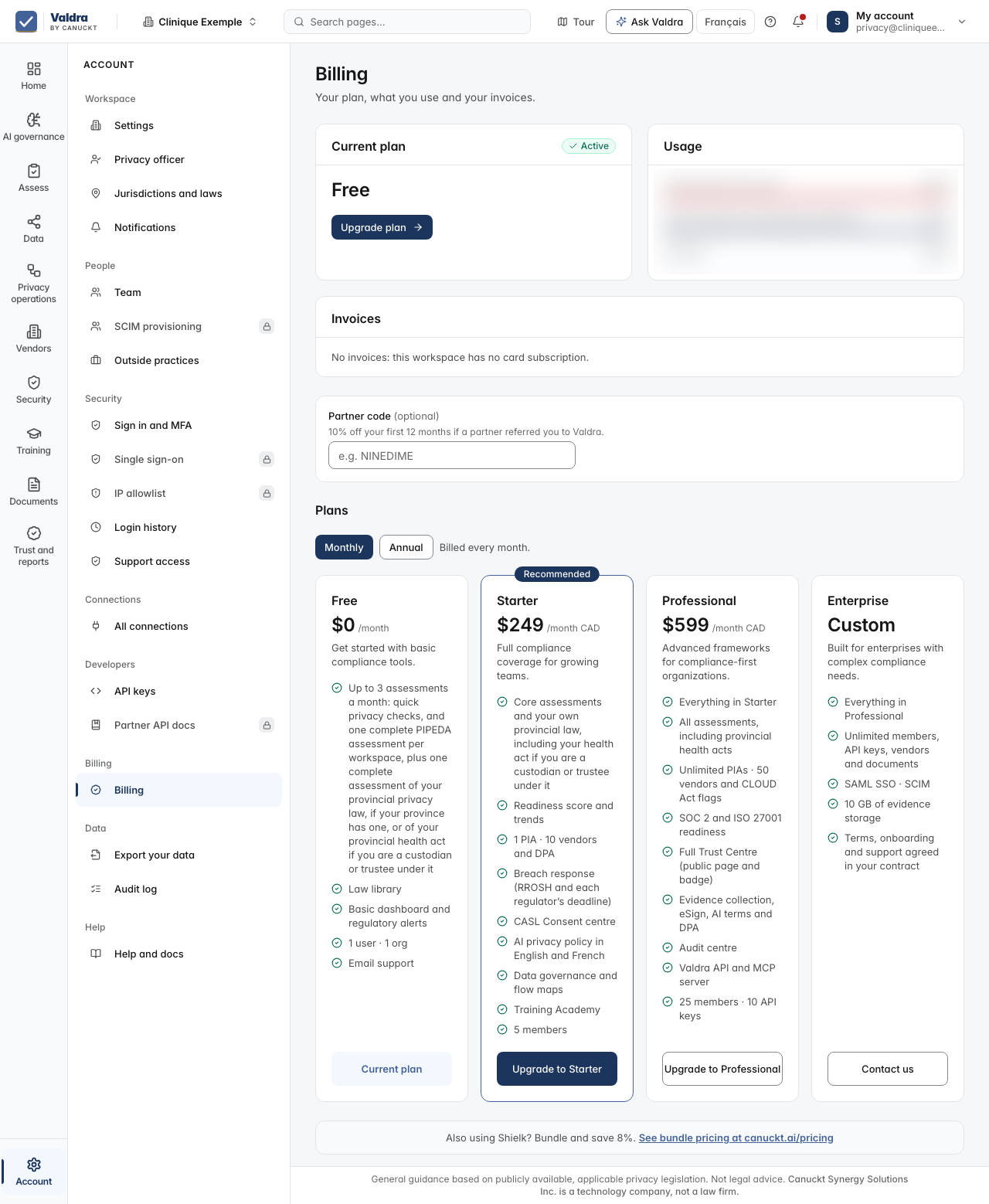
Choose Monthly or Annual
Monthly is billed every month. Annual is billed once a year: you pay for 10 months and get 12, so two months are free on Starter and Professional.
Click Upgrade to Starter or Upgrade to Professional
From Free, you go to a secure payment page. Pay with your card. You come back to Billing and see Your plan has been upgraded. Thank you for choosing Valdra.
If you see Payment received. We are confirming it and your plan updates on this page in a moment. You do not need to pay again., wait a moment. If you left the payment page, you will see Checkout was canceled. No charge was made.
If you already pay for a plan, you will see Move to the plan. Moving up charges the prorated difference for the current period right away to your card on file. Moving down takes effect at the end of your current period, and nothing is charged now. Click Confirm.
See your invoices
Click View invoices, or Manage subscription to update your card or cancel.
What you will see
After a move up from a paid plan you will see You are now on the plan, and the receipt is sent by email. The features of the new plan open right away.
If you cancel, your plan shows Cancels at period end. You keep it until then.
For Enterprise, click Contact us.
Common mistakes and fixes
You see Admins only. Only an Admin can change the plan. Ask an Admin.
Your team is full. Pending invitations hold a seat too. Revoke unused invitations in Team, or upgrade.
You moved down and still see the higher plan. That is expected. The change happens at the end of your current period.
If it did not work
Failed to create checkout session Wait a moment and click the upgrade button again.
Failed to open billing portal Wait a moment and click Manage subscription again.
Could not change your plan Your plan did not change. Try again.
We could not load your plan Click Retry.
Next step
Invite your team to use your new seats.